


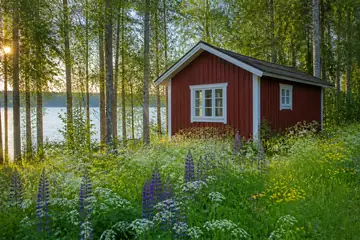


























The picture is cut into square tiles and shuffled. Swap tiles two at a time until the scene is whole again. A relaxed puzzle that rewards a good eye more than planning.
How to play
Drag a tile onto another tile and they change places. You can also tap one tile and then another. With a keyboard, move the cursor with the arrow keys and press Enter or Space to select and swap.
A tile that lands in its correct place locks and gets an outline. Locked tiles stay put, so a correct move is never undone by accident.
The size sets the number of columns, from 3 to 8. Tiles are square, so the number of rows follows the 3:2 shape of the picture: 3 columns give 3 × 2 tiles and 8 columns give 8 × 5.
Hint shows a pair of tiles worth swapping, Undo steps back, and Show picture opens a preview.
Strategy that works
Every swap you make should put at least one tile in its home. Pick up a tile you recognise, drop it on the place where it belongs, and the tile that was there moves to where yours came from. Done this way, a puzzle of N tiles never needs more than N − 1 swaps.
Start with the tiles that are easy to place by eye: buildings, animals, a bright sun, the corners of the picture. Each one you lock makes the empty places around it easier to judge.
Then work by area. Pick one part of the picture — the shoreline, the treeline, a cabin — and finish it before moving on. Following lines that run across tiles, such as a horizon or a road, is quicker than hunting for single tiles.
Leave the plain areas to the end. When only sky or snow tiles remain, compare them in pairs: slight changes in shade, a star or a wisp of cloud decide where they go. Show picture helps here.
For a calm game choose 3 to 5 columns; 7 and 8 columns turn it into a proper search puzzle with 35 or 40 tiles.
Questions and answers
Can a swap puzzle be impossible?
No. Any order of tiles can be sorted by swaps, so every deal is solvable.
What is the smallest number of swaps?
Each swap can put at least one tile in its home, so N tiles never need more than N − 1 swaps. If a swap places two tiles at once, you need fewer.
Why do some tiles not move?
They are already in the right place and have locked. That way a correct tile can never be moved by mistake.
Can I play with a keyboard?
Yes. Arrow keys move a cursor over the tiles; Enter or Space selects a tile and then swaps it with the next one you choose.
Is my game saved?
Yes, in this browser, after every move. Each picture keeps its own saves.